How to track achievements in a LÖVE 2D game
 By Mike Dalton ·

Achievement tracking records the milestones players hit in your game: entering a new area, finding an item, beating a boss. Those records show how far players get, where they stop, and which content they never find.
To show what that looks like in a real LÖVE 2D game, we integrated the Game Stats AI API into Cavern, an open-source platformer.
This guide walks through the integration step by step.
Step 1: Decide what counts as an achievement
Map achievements onto moments that exist in your game. For Cavern that meant the first visit to each room, the six item pickups, save checkpoints, defeating the boss, and finishing the game.
Each of those places gets a call into a gamestats module, which the rest of this guide builds:
-- source/levels/map_loader.lua, when the player enters a room
gamestats:enterRoom(newMap)

-- source/pickup.lua, when the player collects an item
gamestats:pickup(p.name)

-- source/enemies/boss.lua, when the boss dies
gamestats:unlock("Defeated the Boss")
Step 2: Vendor a JSON library
Lua has no built-in JSON, so vendor rxi/json.lua: a single file you drop into your project.
json = require("source/libraries/json")
json.encode builds the request body, and json.decode can be used to inspect API rejections like {"errors":["Occurred at can't be blank"]}.
Step 3: Build the payload
Game Stats AI accepts achievement events at a single endpoint:
POST https://gamestats.ai/api/v1/accounts/{account_id}/achievement_events
Authorization: Bearer <token>
Content-Type: application/json
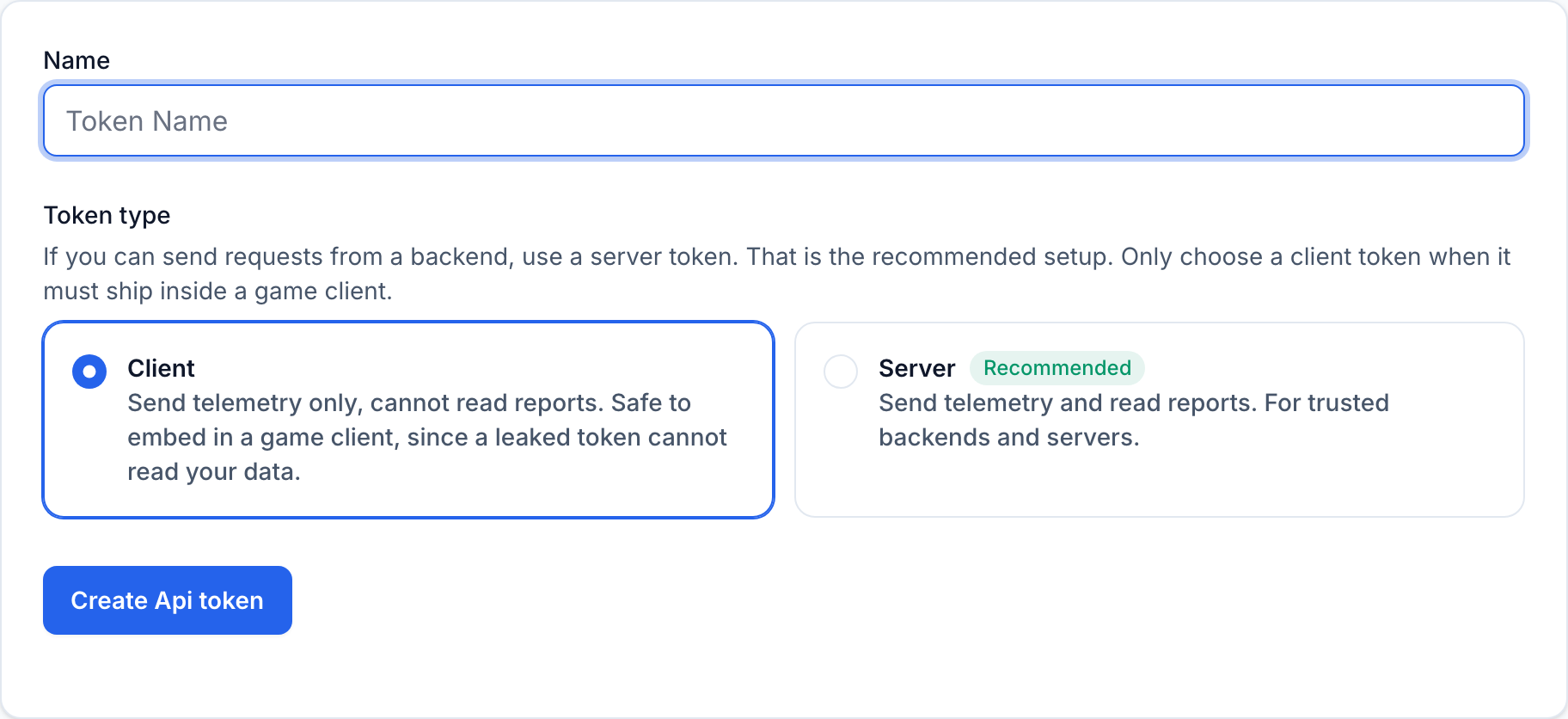
This token ships inside your game, which players download and run, so treat it as public. Create a client token, not a server token. In Settings > API tokens, choose Client
when you create the token. A client token can only send telemetry, so a leaked one cannot read your account's reports. Reserve server tokens for requests you make from a backend you control.
The body is four required fields:
local payload = json.encode({
  version_name = "1.0.0",
  player_username = "cavern_player_a7f3c2",
  achievement_name = name,
  occurred_at = os.date("!%Y-%m-%dT%H:%M:%SZ"),
})
Achievements, players, and versions are created on first use, so there is nothing to register in advance.
Step 4: Use LÖVE 12's https module
LÖVE 12 bundles lua-https, so you don't need an external library to make an HTTPS request.
local https = require("https")

local code, body = https.request(url, {
  method = "POST",
  headers = {
    ["Authorization"] = "Bearer " .. token,
    ["Content-Type"] = "application/json",
  },
  data = payload,
})
If you are still on LÖVE 11.x, there is no built-in HTTPS support, so you would need to compile lua-https yourself or route the request through an external tool.
Step 5: Move the request to a separate thread
Do not call https.request on the main thread. It blocks until the server replies, so every achievement would stall the game for a full network round trip. Pushing a message to a love.thread channel costs a fraction of a millisecond.
So the fix is a persistent worker thread. The main thread only pushes to a channel; the worker does the blocking call and pushes the result back:
-- source/threads/gamestats_worker.lua
local https = require("https")

local requests = love.thread.getChannel("gamestats")
local results = love.thread.getChannel("gamestats_result")

while true do
  local job = requests:demand()
  if job == "__quit__" then break end

  local id, url, token, body =
    string.match(job, "^([^\n]*)\n([^\n]*)\n([^\n]*)\n(.*)$")

  local ok, code, response = pcall(https.request, url, {
    method = "POST",
    headers = {
      ["Authorization"] = "Bearer " .. token,
      ["Content-Type"] = "application/json",
    },
    data = body,
  })

  local status = (ok and code) and tostring(code) or "000"
  results:push(id .. "|" .. status .. "|" .. tostring(response or ""))
end
Start it once at load:
gamestats.thread = love.thread.newThread("source/threads/gamestats_worker.lua")
gamestats.thread:start()
The pcall matters: a dropped connection raises an error instead of returning a status code, and that should count as a retryable failure, not kill the thread.
One gotcha: add a love.quit handler that pushes "__quit__" and waits on the thread, or the game hangs on exit:
function love.quit()
  gamestats:quit() -- pushes "__quit__", then thread:wait()
end
Step 6: Queue events and handle responses
Keep pending events in a queue, an in-memory Lua table, and hand them to the worker from there. Cavern goes one step further and writes each payload to disk first, so events survive a crash or an offline session and can be resent as-is on the next launch. That persistence is optional: start with the in-memory queue and add disk writes only if losing an event to a crash matters for your game.
Dispatch at most one queued event per frame so a burst of unlocks never floods the worker.
The full integration, including the queue, retry, and identity code this guide trims down, is in our fork of Cavern.