How to track achievements in a Phaser browser game
 By Mike Dalton ·
Achievement tracking records the milestones players reach in your game, such as a high score, a cleared level, or a hidden secret. For a browser game, those records come from JavaScript running on the player's machine, so the game calls the API directly from the page.
To show what that looks like, we built Star Catcher, a small Phaser 4 game where the player catches falling stars and avoids bombs, and integrated the Game Stats AI API into it. The finished project is in our example repository. It uses Phaser 4.2, Vite 8, and plain JavaScript.
Step 1: Decide what counts as an achievement
Map achievements onto moments that already exist in your game. In Star Catcher, the score goes up by one for every star the player catches, so the achievements are catching 10, 25, and 50 stars in one run.
The scene already handles a caught star, so that is where the unlock call goes:
const STAR_ACHIEVEMENTS = {
  10: "Caught 10 Stars",
  25: "Caught 25 Stars",
  50: "Caught 50 Stars",
}

catchStar(_player, star) {
  star.destroy()
  this.score += 1
  this.scoreText.setText(`Stars: ${this.score}`)

  if (this.score in STAR_ACHIEVEMENTS) {
    unlockAchievement(STAR_ACHIEVEMENTS[this.score])
  }
}
unlockAchievement comes from src/game-stats.js, the module the rest of this guide builds.
Step 2: Create a client token
Game Stats AI accepts achievement events at a single endpoint:
POST https://gamestats.ai/api/v1/accounts/{account_id}/achievement_events
Authorization: Bearer <token>
Content-Type: application/json
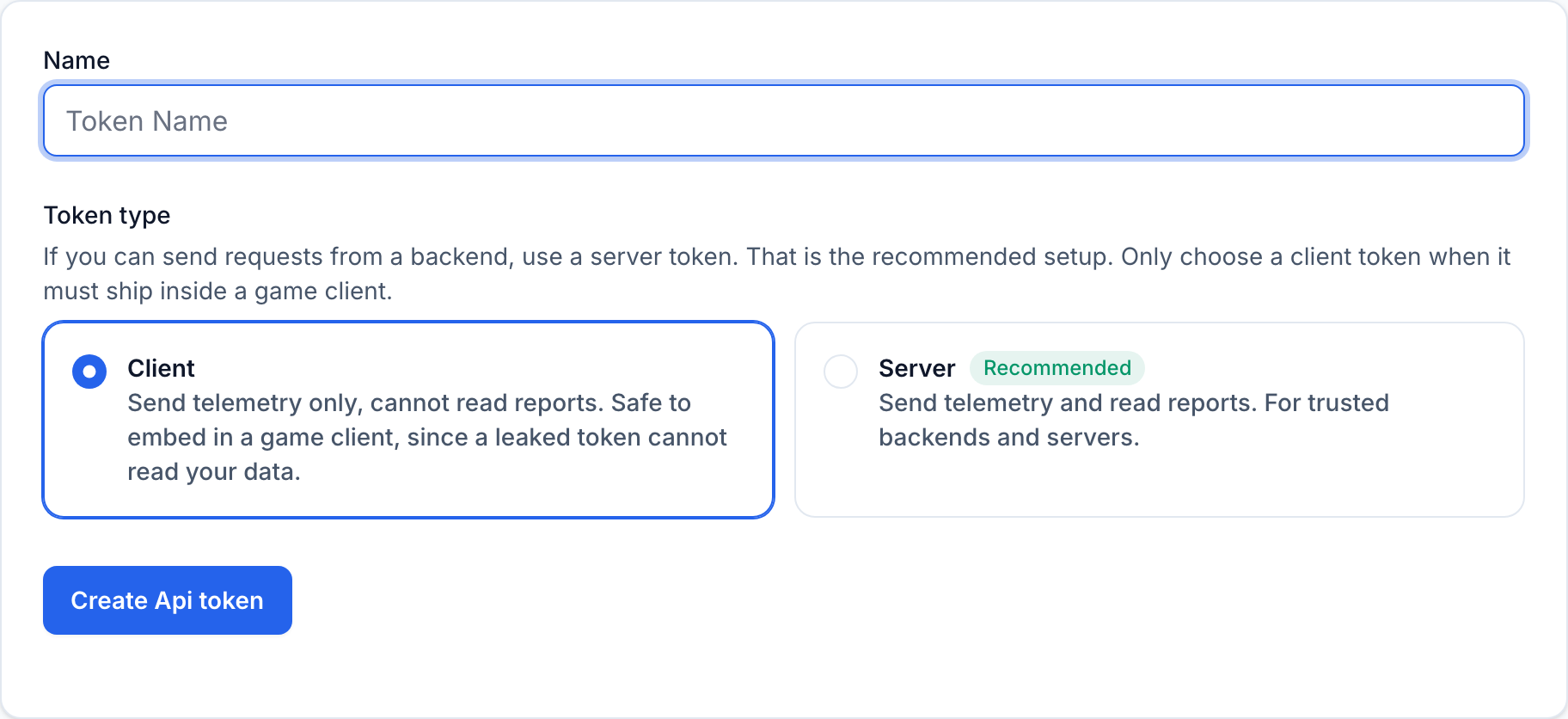
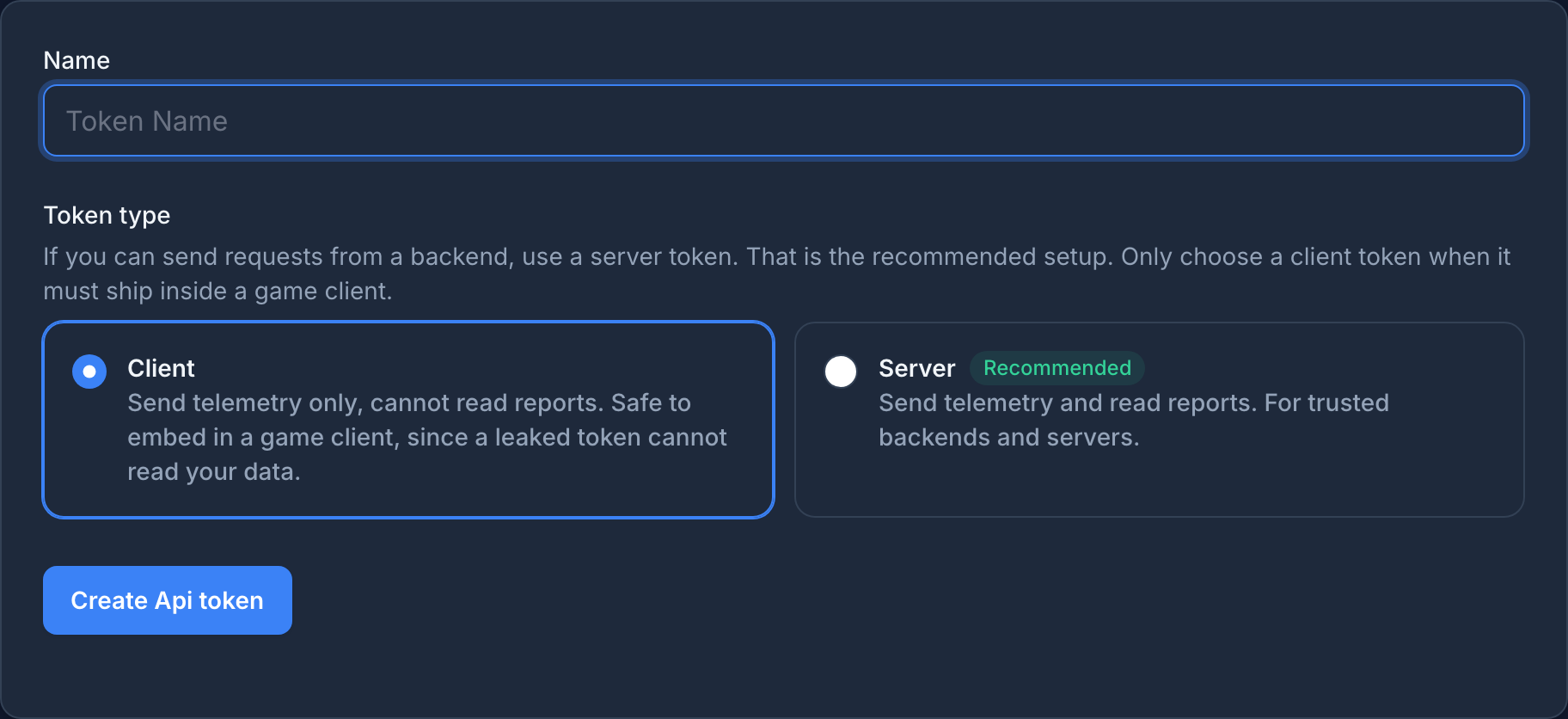
A browser game's JavaScript is downloaded by every player, and anyone can read it in the browser's developer tools. Treat the token as public and create a client token, not a server token. In Settings > API tokens, choose Client
when you create the token. A client token can only send telemetry, so a leaked one cannot read your account's reports.
Step 3: Allow your game's origin
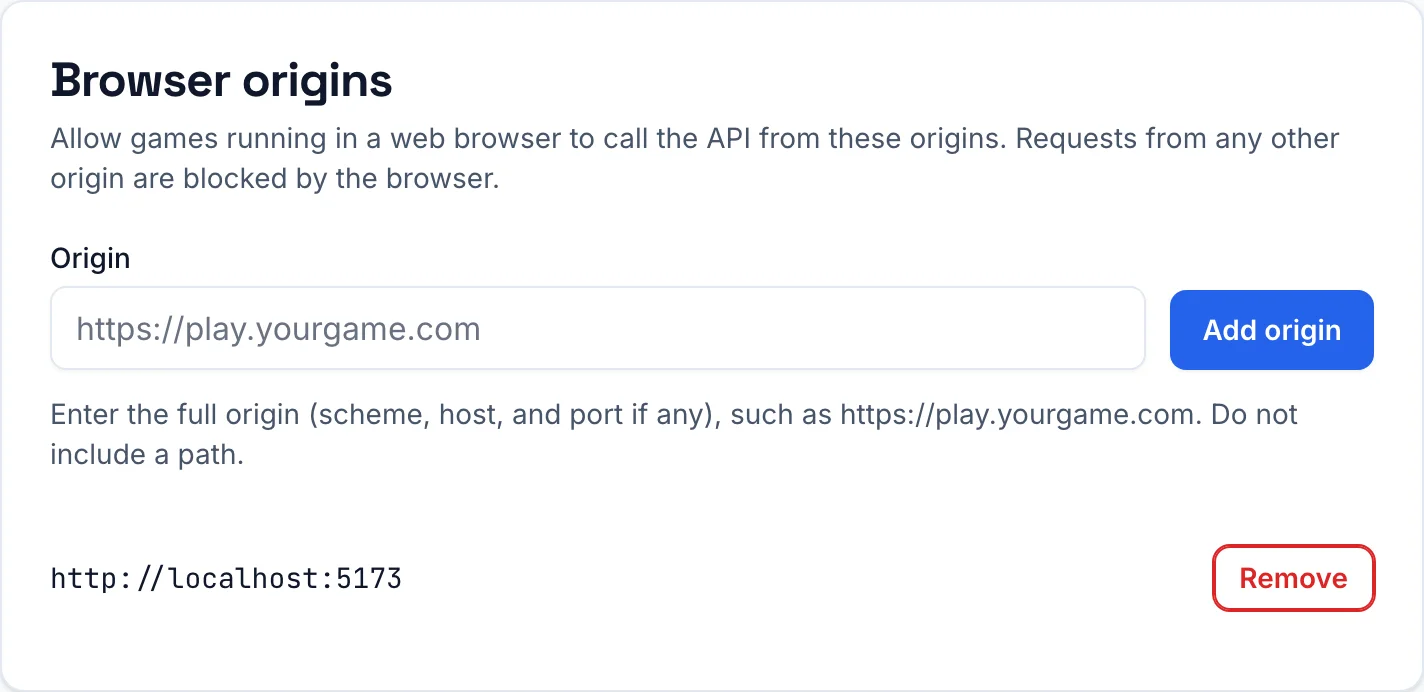
A web page can only call an API on another domain if that API allows the page's origin. This is called CORS (cross-origin resource sharing). Game Stats AI only allows the origins you add to your account, so a page you have not added cannot send events with your token.
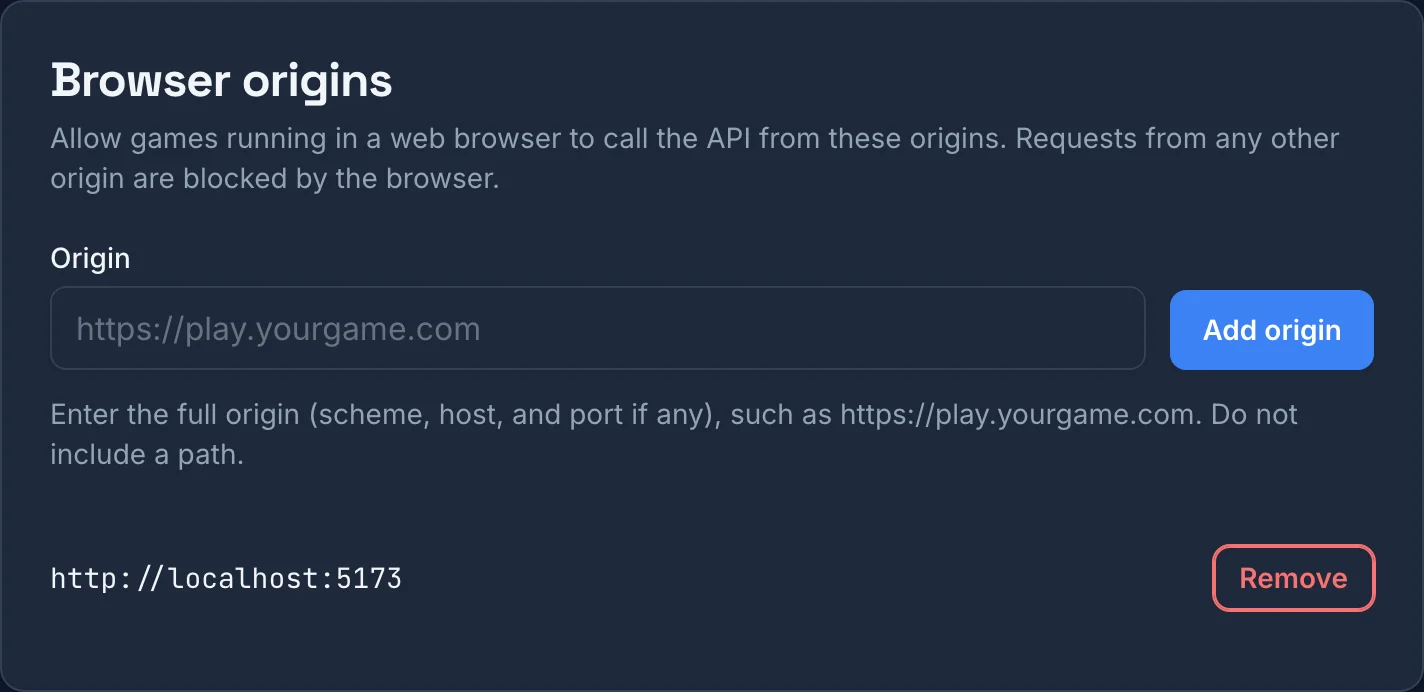
An origin is the scheme, host, and port the game is served from, with no path. Add one for each place your game runs: http://localhost:5173 for the Vite development server, and your production address, such as https://play.yourgame.com. Add them in Settings > Browser origins:
If the origin is missing, the browser blocks the request before it is sent, and the console shows an error like this:
Access to fetch at 'https://gamestats.ai/api/v1/accounts/8/achievement_events' from origin 'http://localhost:5173' has been blocked by CORS policy: Response to preflight request doesn't pass access control check: No 'Access-Control-Allow-Origin' header is present on the requested resource.
To check which origin your game runs on, open the browser console on the game's page and run location.origin. If the game is embedded in an iframe, run it in the iframe's context: the iframe's origin is the one that calls the API.
Step 4: Add the account id and token
Vite reads environment variables from a .env.local file at the root of the project. Variables that start with VITE_ are available in your code as import.meta.env:
VITE_GAME_STATS_ACCOUNT_ID=your_account_id
VITE_GAME_STATS_API_TOKEN=client_your_token
Vite's default .gitignore for new projects already excludes *.local files, which keeps the token out of your repository. It does not hide the token from players: vite build writes both values into the JavaScript bundle.
The version comes from package.json. vite.config.js makes it available to the game as __GAME_VERSION__:
import { defineConfig } from "vite"
import packageJson from "./package.json" with { type: "json" }

export default defineConfig({
  define: {
    __GAME_VERSION__: JSON.stringify(packageJson.version),
  },
})
Bump the version in package.json before you ship each build, and Game Stats AI groups unlocks by that version.
The top of src/game-stats.js reads these values once. If the account id or token is missing, the integration turns itself off and the game runs normally:
const ACCOUNT_ID = import.meta.env.VITE_GAME_STATS_ACCOUNT_ID
const API_TOKEN = import.meta.env.VITE_GAME_STATS_API_TOKEN
const BASE_URL = import.meta.env.VITE_GAME_STATS_BASE_URL ?? "https://gamestats.ai"
const VERSION_NAME = __GAME_VERSION__
const STORAGE_KEY = "game_stats"
const RETRY_DELAY_MS = 30_000

const enabled = Boolean(ACCOUNT_ID && API_TOKEN)
const endpointUrl = `${BASE_URL}/api/v1/accounts/${ACCOUNT_ID}/achievement_events`
const state = loadState()
let requestInFlight = false

if (enabled) {
  window.addEventListener("online", sendNextEvent)
  sendNextEvent()
} else {
  console.warn("Game Stats AI is disabled: VITE_GAME_STATS_ACCOUNT_ID or VITE_GAME_STATS_API_TOKEN is missing.")
}
Step 5: Build the payload
The body is four required fields:
export function unlockAchievement(achievementName) {
  if (!enabled || state.unlockedAchievements.includes(achievementName)) {
    return
  }

  state.unlockedAchievements.push(achievementName)
  state.pendingEvents.push({
    version_name: VERSION_NAME,
    player_username: state.playerUsername,
    achievement_name: achievementName,
    occurred_at: new Date().toISOString(),
  })
  saveState()
  sendNextEvent()
}
toISOString() returns the current time in UTC, for example 2026-10-11T16:42:07.913Z. Achievements, players, and versions are created on first use, so there is nothing to register in advance.
The event is stamped with occurred_at once, when the player unlocks the achievement, and stored with that timestamp. Game Stats AI ignores an unlock it has already received only when the player, achievement, version, and occurred_at all match. A retry that rebuilt the payload with a new timestamp would record a second unlock.
Step 6: Send events with fetch
The module sends the first pending event and waits for the response before it sends the next one:
async function sendNextEvent() {
  if (requestInFlight || state.pendingEvents.length === 0) {
    return
  }

  requestInFlight = true
  const status = await postEvent(state.pendingEvents[0])
  requestInFlight = false

  if (status === 201 || status === 422) {
    state.pendingEvents.shift()
    saveState()
    sendNextEvent()
  } else {
    setTimeout(sendNextEvent, RETRY_DELAY_MS)
  }
}

async function postEvent(event) {
  try {
    const response = await fetch(endpointUrl, {
      method: "POST",
      headers: {
        Authorization: `Bearer ${API_TOKEN}`,
        "Content-Type": "application/json",
      },
      body: JSON.stringify(event),
    })
    if (response.status === 422) {
      console.warn("Game Stats AI rejected an event:", await response.text())
    }
    return response.status
  } catch (error) {
    console.warn("Game Stats AI could not send an event:", error.message)
    return null
  }
}
A 201 means the event was accepted. A 422 means the payload itself is invalid, for example {"errors":["Version name can't be blank"]}, so sending it again will not help: log it and move on. Anything else keeps the event at the front of the queue and tries again in 30 seconds.
fetch throws instead of returning a status in two cases: the player is offline, or the browser blocked the request because the origin is not allowed. Both end up in the retry path, so unlocks wait in the queue until the problem is fixed. The online listener from Step 4 sends them as soon as the connection comes back.
Step 7: Save unlocks in localStorage
The module keeps three things in localStorage: a generated player name, the achievements already unlocked, and the events not yet sent.
function loadState() {
  const savedState = JSON.parse(localStorage.getItem(STORAGE_KEY) ?? "{}")
  return {
    playerUsername: savedState.playerUsername ?? `player_${crypto.randomUUID().replaceAll("-", "").slice(0, 12)}`,
    unlockedAchievements: savedState.unlockedAchievements ?? [],
    pendingEvents: savedState.pendingEvents ?? [],
  }
}

function saveState() {
  localStorage.setItem(STORAGE_KEY, JSON.stringify(state))
}
The unlocked list means each achievement is sent once per player, not once per run, even after the page is reloaded. The pending list means an unlock is not lost if the player closes the tab before it is sent: it is sent with its original timestamp the next time the game loads.
localStorage belongs to one browser on one device, so a player who clears their browser data or switches devices gets a new player name. If your game already has player accounts, use that id for player_username instead of a generated one.
The full integration is in the example repository.